
Navigator BIM and technical files are available to download free from the Navigator website. Whether you're modelling in Revit, planning lighting levels or specifying a fitting for a project, you'll find useful technical resources on our product pages and in our Designers & Specifiers download library.
How do I access the files?
The BIM files are available to download directly from the individual product pages.
- Open the relevant Navigator product page.
- Scroll below the finish options and Add to Cart button.
- Find the Documents section, containing the available BIM files, installation guides and datasheets.
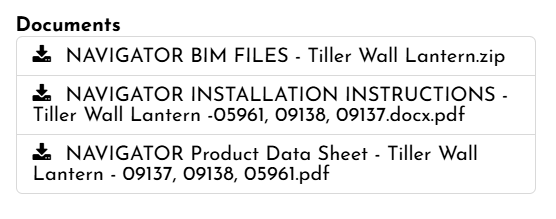
- Click the BIM download to download the available files.
What file types are available?
Revit and IFC model files, along with IES photometric files for lighting calculations, are available for selected products. If you need another format, please get in touch.
Do I need to be logged in to download the files?
No, you do not need to be logged in to access the files. The files are free to download.
Which Navigator lights have BIM files available?
BIM files are available for a growing selection of Navigator lights.
Visit our Designers & Specifiers download library to find technical files, product datasheets and installation guides.
You can also find available downloads in the Documents section of individual product pages.
Can't find what you need? Contact us and we'll be happy to help.